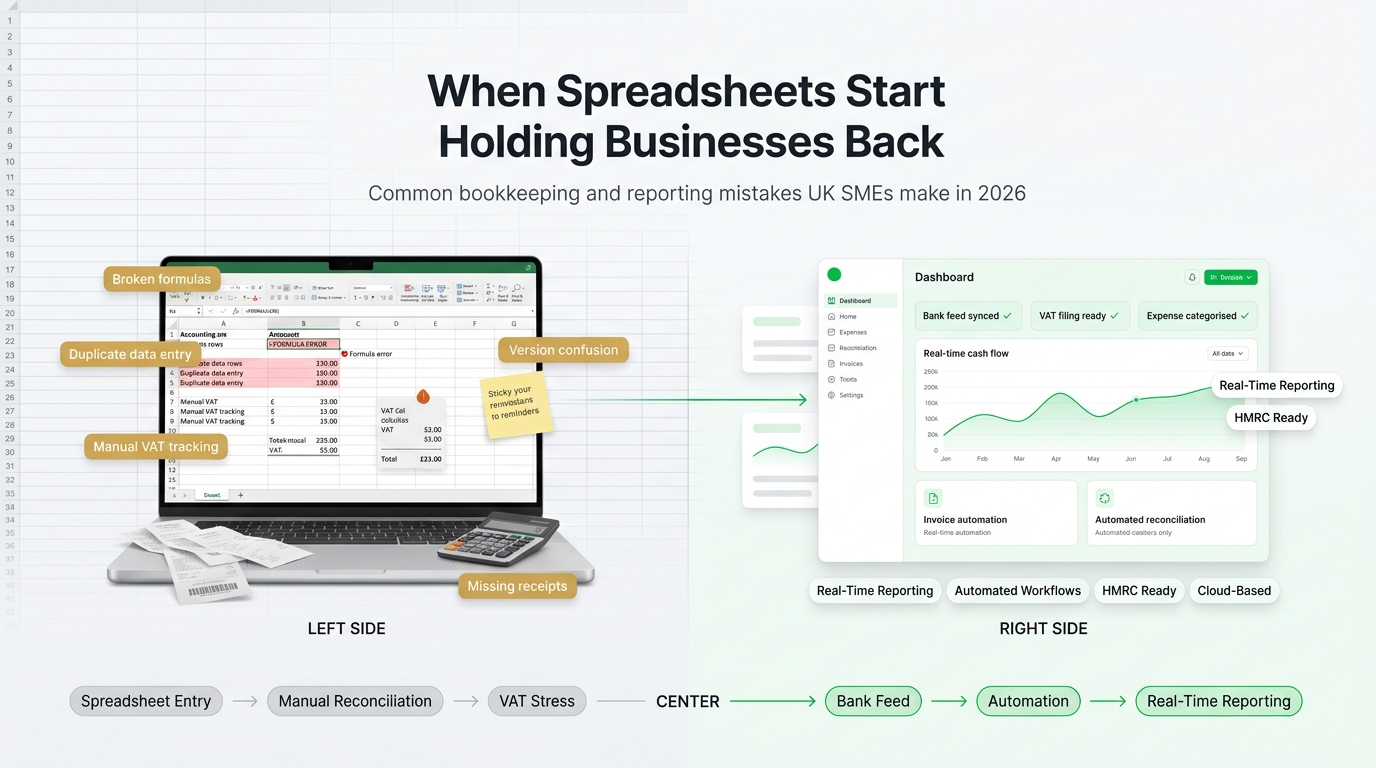
Spreadsheets are the single most common accounting tool in UK small businesses, and they are also the source of the most expensive bookkeeping mistakes we see every year. This guide walks through the accounting errors UK sole traders, freelancers, and small limited companies make when they run their books in Excel or Google Sheets, why those errors matter for HMRC and Making Tax Digital, and when it is time to move to proper accounting software.
Spreadsheets are not the problem in themselves. They are flexible, free, and familiar. The problem is that a business grows faster than a spreadsheet can keep up, and the errors that build up quietly across a tax year often only show themselves at year-end or during an HMRC review. By then, the cost of fixing them is far higher than the cost of moving to software would have been.
This article is written for UK business owners, not accountants. It covers the mistakes that actually matter, the compliance angle under Making Tax Digital, and the practical signals that you have outgrown spreadsheets.

Biggest risk
Incorrect VAT on sales or purchases, because HMRC will eventually find the discrepancy and interest plus penalties compound quickly.
Most common error
Mixing business and personal expenses in the same records, which breaks expense categorisation and leads to either missed deductions or disallowed claims.
Hidden cost
Time. Most sole traders lose several days every quarter to manual bookkeeping that accounting software would process automatically through bank feeds.
Compliance driver
Making Tax Digital for Income Tax. From 6 April 2026, sole traders and landlords with qualifying income over £50,000 must keep digital records and submit quarterly updates using compatible software.
Recommendation
Move to cloud accounting software as soon as the business is VAT-registered, takes on a second bank account, takes on staff, or crosses the MTD Income Tax threshold.
Why spreadsheets fail as businesses grow
A spreadsheet works perfectly well for the first month of trading. It works reasonably for the first year, especially if the business is a single sole trader with one bank account and a small number of invoices. What changes is the cumulative effect of data entry, the complexity of VAT, and the need for reliable year-end figures that an accountant can sign off without having to rebuild the workings.
There are three structural problems with spreadsheets that cannot be fixed by being more careful. The first is that every figure is entered manually, which means every figure is a chance to mistype. The second is that there is no audit trail, so it is often impossible to see who changed what or when. The third is that a spreadsheet is not connected to the bank, HMRC, or any supplier system, so the records have to be kept in sync with reality by human effort every week.
As soon as a business has more than about 15 to 25 transactions a month, a VAT registration, a payroll, or a second user who needs to see the numbers, the spreadsheet starts to break down. The mistakes below are the ones that show up in almost every audit we see.
Mistake 1: mixing business and personal transactions
The single most common bookkeeping error in UK sole traders and small limited companies is using a personal bank card or personal bank account for business purchases, then trying to reconcile the split in a spreadsheet later.
For a sole trader this is technically allowed, because sole traders and their business are the same legal entity, but it creates a practical nightmare. Every bank statement line has to be classified manually as business or personal, and it is almost impossible to do that consistently across a full tax year. Business expenses get missed, which means the tax return overstates profit and the sole trader pays more tax than they needed to.
For a limited company, mixing the two is worse. A limited company is a separate legal entity. Using company money for personal spending creates a director's loan situation, which has tax consequences under s.455 if the loan is not repaid within nine months of the year-end. Using personal money for company purchases without recording the expense claim means the company cannot reclaim VAT and the director cannot recover what they spent.
In practice this single mistake causes:
Missed deductible expenses and higher-than-necessary tax bills.
VAT reclaimed on non-business purchases, which HMRC will clawback with interest.
Director's loan balances that trigger s.455 corporation tax charges.
Accountant time at year-end billed at hourly rates to untangle the records.
Stress at HMRC review, because the audit trail cannot demonstrate clean separation.
Mistake 2: recording VAT on the wrong basis
UK VAT is more subtle than it looks. The standard rate is 20 per cent, the reduced rate is 5 per cent, the zero rate is 0 per cent, and some supplies are exempt or outside the scope entirely. Spreadsheets force users to decide which rate applies to every line, and to remember which scheme they are on.
The two most common VAT errors in spreadsheet-based bookkeeping are:
Applying the wrong VAT code. Zero-rated supplies are not the same as exempt supplies, and both are different from outside-the-scope. Mixing these up changes the reclaimable VAT on related purchases and can trigger partial exemption rules.
Confusing cash accounting with invoice accounting. On the standard VAT scheme, VAT is due on invoice date. On the cash accounting scheme, VAT is due when payment is received. Spreadsheets rarely enforce the distinction, and businesses end up with VAT returns that do not reflect the scheme they are actually on.
Flat rate scheme misuse. The flat rate scheme applies a single percentage to gross turnover. If the spreadsheet is built around the standard scheme, the user quietly reclaims VAT on purchases that cannot be reclaimed under the flat rate scheme, which HMRC will eventually correct.
Cloud accounting software removes most of this risk by embedding the VAT scheme into the chart of accounts, enforcing consistent VAT codes on every invoice and bill, and generating the nine-box VAT return automatically against whichever scheme the business is on.
Mistake 3: no bank reconciliation discipline
Bank reconciliation is the process of matching every transaction in the accounting records to every transaction on the bank statement. If it is done every month, nothing ever goes missing for long. If it is not done, errors accumulate silently.
In a spreadsheet, bank reconciliation is manual. Someone has to sit down with a bank statement and tick off each line. In practice, busy business owners skip it, promise themselves they will catch up at year-end, and then discover at year-end that:
Some bank charges were never recorded.
Some direct debits have been duplicated or missed.
Customer refunds and chargebacks never made it into the sales ledger.
A closing balance in the records does not match the actual bank balance.
Once the records and the bank statement no longer agree, every report is suspect. The profit figure, the VAT return, the Self Assessment all depend on the bank figure being right. The only way to restore confidence is to rebuild the records line by line, which is expensive and slow.
Mistake 4: inconsistent invoice numbering and missing invoices
HMRC expects UK VAT-registered businesses to use sequential invoice numbering, with no gaps and no duplicates. Spreadsheet-based invoicing almost always drifts. People skip numbers because they filed a draft separately. They reuse numbers across tax years. They create a second invoice template in a different folder and lose visibility of the first.
The symptoms at HMRC review are predictable: missing invoice numbers that the business cannot explain, invoices that were issued but never entered into the sales ledger, VAT apparently owed on sales that the business claims did not happen, and credit notes with no clear link to the underlying invoice.
Accounting software issues invoice numbers automatically, flags duplicates, stores a complete audit trail of every edit, and links credit notes directly to the invoice they credit. The discipline is built in rather than relying on memory.
Mistake 5: no accruals, no prepayments, no proper year-end
Cash-based spreadsheets record income when it arrives and expenses when they are paid. That is simpler, but it is not how accruals accounting works, and UK limited companies are required to prepare accounts under FRS 102 or FRS 105, both of which are accruals-based.
The practical consequences of ignoring accruals in a spreadsheet include:
Revenue recognised in the wrong tax year.
Prepayments (insurance, software, rent) expensed entirely up front rather than spread across the period they cover.
Accrued expenses (e.g. supplier bills dated in March but paid in April) not recognised, which understates cost of sales.
Deferred revenue for advance payments not recognised, which overstates current income.
Year-end figures that do not match the accountant's final accounts, causing rebuilds and fees.
Accounting software does not magically apply accruals on its own, but it gives the accountant a consistent structure to post journals against and a clear audit trail. That alone reduces the cost of year-end by a substantial margin.
Mistake 6: no cash-flow forecasting
A spreadsheet can forecast cash in theory. In practice, almost no small business maintains a rolling cash-flow forecast because it requires weekly discipline to update actuals against projections. The result is a business that does not know what its bank balance will be in six weeks, let alone six months.
Without a forecast, businesses often:
Miss VAT payment deadlines because they did not put cash aside.
Miss corporation tax payment deadlines nine months after year-end.
Run into payroll funding problems in slow months.
Over-invest in stock or equipment at the wrong point in the cycle.
Fail to negotiate better payment terms with suppliers because they cannot see the impact.
Most cloud accounting products now include at least a short-term cash-flow view built from real data. It is not perfect, but it is dramatically better than the spreadsheet forecast that no one has updated since February.
Mistake 7: no backup and no version control
Spreadsheets live in email attachments, OneDrive, Google Drive, and local computers. In many small businesses there are five copies of the same workbook and no one is sure which one is the current master. If a laptop is lost or stolen, the most recent copy might be months old. If the file is corrupted, recovery is luck of the draw.
Cloud accounting software removes this category of risk entirely. The records are hosted, versioned, and replicated by the vendor. Multiple users can work on the same data without overwriting each other, and the audit trail shows who changed what.
Mistake 8: single-user bottleneck
A spreadsheet can only have one author at a time without creating conflicts. In a small business where the director, the bookkeeper, and the accountant all need access, this becomes the bottleneck that every financial decision runs through.
The accountant cannot start the year-end until the bookkeeper closes the spreadsheet. The director cannot check a supplier balance without waiting for an export. The bookkeeper cannot reconcile the bank until someone emails over the latest statement. Every handoff adds friction and delay.
Multi-user accounting software solves this by design. Role-based permissions let each person work on the part of the process they own, while the underlying data stays consistent.
The Making Tax Digital compliance angle
The regulatory environment is now the single most important reason to move off spreadsheets for many UK businesses.
Making Tax Digital for VAT applies to all VAT-registered UK businesses. Digital records must be kept, and VAT returns must be submitted to HMRC using compatible software or bridging software that connects a spreadsheet to HMRC systems. Manual entry into HMRC's online form is no longer permitted.
Making Tax Digital for Income Tax is the next wave. From 6 April 2026, sole traders and landlords with qualifying income over £50,000 must keep digital records, submit quarterly updates, and file their final declaration using compatible software. From 6 April 2027 the threshold drops, and from 6 April 2028 the rollout extends further down the market.
A spreadsheet on its own cannot satisfy Making Tax Digital. It can only be used with an approved bridging tool that passes digital records to HMRC while maintaining digital links throughout the chain. For most small businesses, moving directly to compatible accounting software is simpler and cheaper than maintaining a spreadsheet plus bridging stack.
The practical test: if your business is VAT-registered, or you are a sole trader expecting income above £50,000 in the 2026 to 2027 tax year, HMRC is going to require you to use compatible software either now or within the next 18 months. Moving early is cheaper than moving at the last minute.
Signals that it is time to move off spreadsheets
Every UK small business will eventually outgrow spreadsheets. The question is when. The following signals are reliable indicators that the cost of staying on spreadsheets is now higher than the cost of moving.
Signal | What it usually means | Recommended action |
|---|---|---|
More than 25 transactions a month | Manual entry is eating time that would be better spent on customers. | Move to cloud accounting with a bank feed. |
VAT registration | MTD for VAT applies and manual HMRC entry is no longer allowed. | Adopt compatible software immediately. |
Payroll added | PAYE RTI submissions, statutory pay, auto-enrolment all require software support. | Add payroll software and connect to the accounting ledger. |
Qualifying income over £50,000 (sole trader/landlord) | MTD for Income Tax applies from 6 April 2026. | Sign up for MTD for Income Tax and adopt compatible software. |
Multiple users need the data | Single-user spreadsheet creates handoff friction. | Move to multi-user cloud software with role-based permissions. |
Accountant year-end fees rising | Accountant is rebuilding the records rather than reviewing them. | Adopt software the accountant supports; fees typically reduce. |
Cash-flow surprises | No rolling forecast; tax and supplier bills catching you out. | Adopt software with an integrated cash-flow view. |
How to move from spreadsheets to accounting software
The move itself is not dramatic if you plan it in three phases.
Phase 1: choose the right software
For most UK small businesses, the practical choices are Sage Accounting, Xero, QuickBooks, or FreeAgent. The right one depends on business type, VAT status, payroll needs, and what the accountant supports. Three rules of thumb:
Sole traders and landlords with simple affairs often choose Sage Sole Trader, QuickBooks Sole Trader, or FreeAgent.
VAT-registered small businesses and limited companies usually choose Sage Accounting, Xero, or QuickBooks depending on accountant preference and ecosystem fit.
Growing SMEs with broader needs (stock, multi-currency, budgets, payroll) should evaluate Sage Accounting Plus, Xero's higher tiers, or a step up into Sage 50 or Sage 200 for mid-market complexity.
Phase 2: migrate the opening data
Pick a clean starting point, usually the first day of the VAT quarter or the first day of the new tax year. Migrate:
The customer list with outstanding invoice balances as at the migration date.
The supplier list with outstanding bill balances as at the migration date.
The chart of accounts mapped to the software's standard UK template.
Opening bank balances matching the bank statement exactly.
The last closed VAT return so that the new software picks up where the old records left off.
Phase 3: operate the new system
Connect the bank feed so transactions flow in automatically, set up repeating invoices for recurring customers, agree a weekly reconciliation rhythm, and ensure the accountant has access to review journals at month-end. Within three months the business will have more accurate, more timely, and more useful financial information than any spreadsheet could deliver.
Final thoughts
Spreadsheets are not evil, and they are not going away. They still have a place for analysis, for ad-hoc modelling, and for reporting on top of clean accounting data. What they should not be is the primary record of your UK business's finances in 2026.
The combination of Making Tax Digital, the complexity of UK VAT, the requirements of accruals accounting, and the practical demands of running a business with more than one user have made cloud accounting software the sensible default. The cost of proper software is measured in tens of pounds per month. The cost of the mistakes above is measured in tax penalties, interest, and accountant fees that easily run into thousands.
If your business is still running on spreadsheets, the question is not whether to move. The question is whether to move now, while you still have time to set it up cleanly, or later, when HMRC or a cash-flow problem forces the move on your timetable rather than yours.